1 What the bot does
The NazmIQ Telegram bot is the mobile companion to the web app. You forward or upload vendor quotations (PDFs or images) to the bot, and when you've collected enough, you ask for a side-by-side comparison. The same AI pipeline that powers the web app processes everything; you get back a fully-formatted Excel report inside Telegram.
2 Link your account
One-time setup. Connects your Telegram account to your NazmIQ account so the bot knows whose files and quota to use.
- Open Telegram and search for @khalid_procure_bot, then tap Start.
- Come back to the web app's Settings page and click Generate Link Code.
- Copy the 8-character code.
- In Telegram, send:
/link ABC12345(replace with your code).
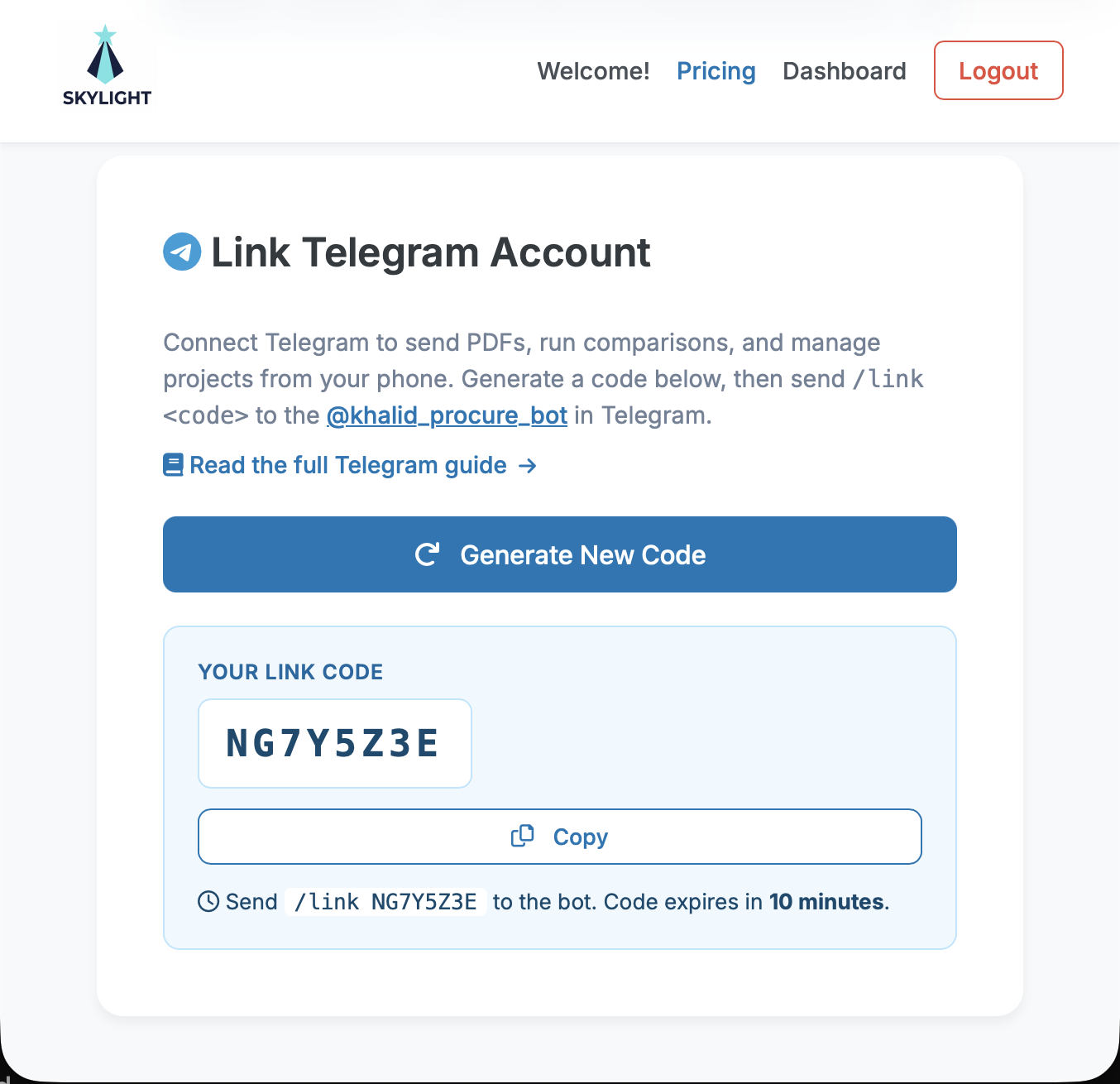
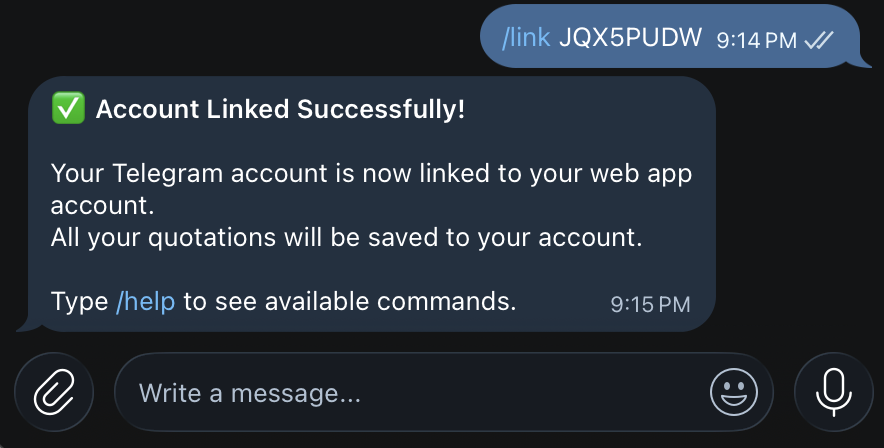
/link CODE in Telegram and seeing the success reply3 Send quotations
Once linked, simply send a PDF or image to the bot. Photos of printed quotes work — the AI reads them the same way it reads PDFs.
Example exchange
🏢 Supplier: Premier UPVC Ltd.
💰 Total: 124,500.00 EGP
📊 Cost: 1 job — 4/20 used
Saved to project 'default'. Send more PDFs or use /compare.
Supported formats: PDF, JPG/JPEG, PNG, WebP. Maximum file size: 10 MB.
4 Projects
A project is a named folder of quotations you want to compare against each other. Everything you send to the bot is saved under the active project. Use projects to keep unrelated comparisons (e.g. "Lighting" and "Generators") from getting mixed together.
See the active project
Send /project with no arguments — the bot replies with the current name.
Switch (or create) a project
Send /project Lighting-2026 — the bot starts saving new uploads there. If a project with that name doesn't exist yet, it's created on the fly.
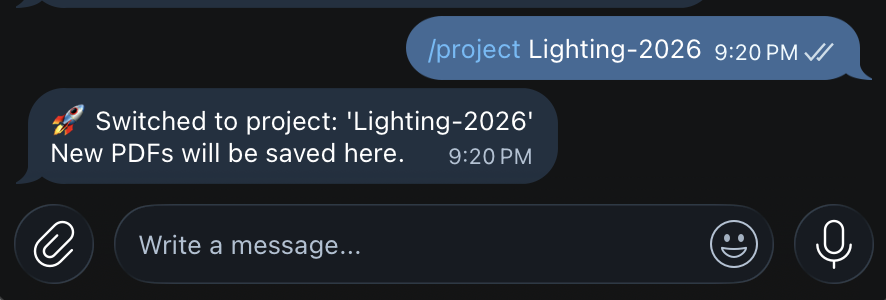
/project Generators-800kVA → send 3 PDFs → /compare →
/project PVC-Pipes → send 4 PDFs → /compare.
Project names are sanitized automatically — spaces and special characters become underscores, so /project Q1 2026 Lighting becomes Q1_2026_Lighting.
5 Run the comparison
When you've sent all the quotes for the active project, send /compare.
The bot runs the same comparison pipeline as the web app and replies with the Excel file.
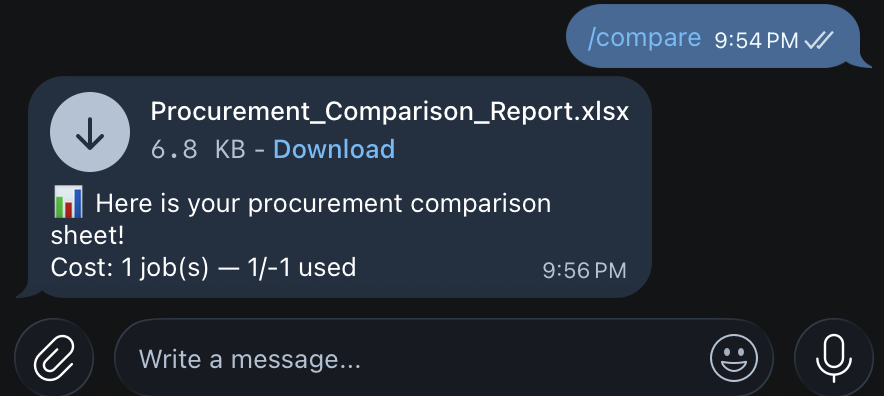
/compare reply with the attached Excel report6 Check status & quota
Send /status to see your linked-since date, the active project, your plan, and how many jobs you've used this month.
🔗 Linked: Yes (since 2026-04-15)
📁 Active Project: Lighting-2026
📦 Plan: pro (60 comparisons/month)
⚡ Comparisons Used (2026-05): 14 / 60
7 Clear a project
Send /clear to delete all files in the active project.
The bot asks for confirmation before anything is actually deleted.
Switch to a different project first if you only want to keep one isolated.
8 Disconnect
Send /unlink to remove the connection. The bot asks for confirmation. After unlinking the bot will no longer recognize your Telegram account — you can re-link any time by generating a fresh code in the web Settings page.
Your stored quotation files are not deleted by unlinking — they remain in your web account.
9 Command reference
| Command | What it does |
|---|---|
/start | Greet and show link instructions (when not linked) |
/help | Show the in-bot command list |
/link CODE | Link your Telegram account to your NazmIQ account |
/unlink | Disconnect (asks for confirmation) |
/status | Account info + comparisons used this month |
/project | Show the active project name |
/project NAME | Switch to (or create) a project named NAME |
/compare | Build the comparison report from files in the active project |
/clear | Delete all files in the active project (asks for confirmation) |
| Send a PDF/image | Extract the quotation and save it to the active project |
10 Tips & limits
- File size: 10 MB per upload (Telegram bot limit). For larger PDFs, use the web app.
- Formats: PDF, JPG/JPEG, PNG, WebP. Each image counts as 1 page.
- Billing:
jobs = ceil(total_pages / 40), minimum 1 job. A 5-page PDF still costs 1 job; a 41-page PDF costs 2. - Quota: shared with the web app — the same monthly limit covers both surfaces.
- Privacy: only the Telegram account you linked can act on your behalf. If someone else messages the bot, the bot tells them they need to link their own account first.
- Re-linking: if you lose access to your Telegram account, generate a new code in Settings from any device — the new link replaces the old one.